

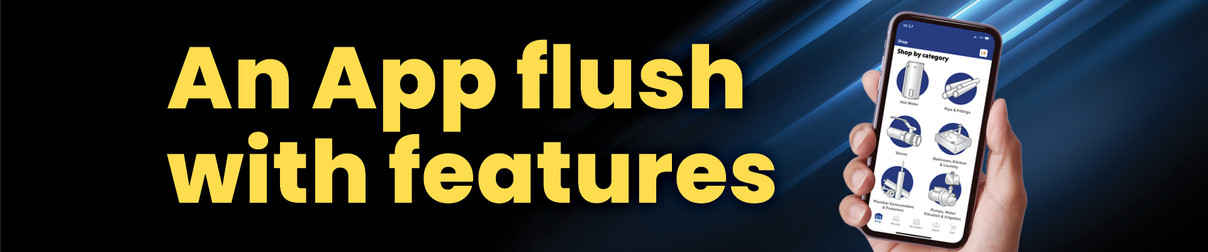

How do I get to the Tradelink Trade Portal / App?
Please go the Homepage of the Tradelink website to access the Tradelink Trade Portal / App.
Can I use the Tradelink Trade Portal / App if I don't have a Tradelink Account?
No. You will need to open a Tradelink Account to gain access to the Tradelink Tradelink Trade Portal / App.
Can I check my invoices online?
Yes, if you have a Tradelink Account, you will be able to view your invoices and other financial information in the Tradelink Trade Portal / App. If you do not have a Tradelink Account, you will not be able to view invoices online.
I have a Tradelink account but I'm not able to Sign-in to the portal?
If this is your first time using the Tradelink Trade Portal / App, you will first need to Register. If you have already registered and are experiencing issues, please contact our Support Team on Contact us.
I'm trying to register and get an error with my phone number.
To register, the phone number must be a mobile number and must be the same as the primary mobile number listed on your Tradelink Trade Account. You will not be able to register using a different mobile number.
I have a new mobile number and would like to register online using this number.
You will first need to contact your Account Manager or our Credit Support Team to update your mobile number listed in your Trade Account. Once this is done, you will be able to register online using the new number.
Can my employees use the Tradelink Trade Portal / App?
Yes. You can invite each employee or contractor to have access to the Tradelink Trade Portal / App. Once they receive an email notification, they will just need to click on the link to register. Once registered, they place online orders using your businesses' Tradelink Trade Account/s.
Can I order online using my Trade Account?
Yes, you can place your order online and all charges will be invoiced to your Trade Account.
Can my employees order online using my Account?
Yes. The main trade account User will need to invite each employee to the Tradelink Trade Portal / App and give them access to place orders using the Businesses' Tradelink Account. Once they have registered to use the Tradelink Trade Portal / App (*see Using the Tradelink Trade Portal / App) they will be able to place online orders.
What prices are displayed in the Tradelink Trade Portal / App?
Items are listed with both your negotiated Trade prices as well as the recommended retail price.
Is GST listed in the prices?
Item prices do not include GST. GST is added to the Cart total at the Checkout stage.
Are delivery fees listed in the cart?
No. Delivery charges will be added to the invoice as per your negotiated rates in your Tradelink Trade Account Terms and Conditions.
Can I choose when I want to receive my delivery?
Yes, you can choose your prefered date and time for delivery. *Subject to availability and available delivery times.
Can I leave specific instructions for the delivery?
Yes, you can note any special conditions or instructions, at Checkout, when placing your order.
What can I do if I receive the wrong items/or if something is missing from my order?
If you have received an incorrect items or something is missing, please contact the Delivery branch within 48 hours of receiving your order. Please also advise them of the corresponding invoice or delivery docket number.
Can I choose which branch I want to collect my order from?
Yes. You will be able to select your preferred Click & Collect location at the Checkout stage, when placing the order.
How long do I have to collect my order?
You order will need to be collected as soon as possible. Should you not be able to collect your items within a reasonable timeframe, please contact the Tradelink branch to discuss your options.
Can I collect my order outside business hours?
No. You will only be able to collect your order during your nomindated Tradelink branch normal trading hours.
How can I get a refund?
Please call or visit your nearest Tradelink Branch to enquire about an exchange or refund within 28 days of receiving your items. Our staff will need to ensure your return meets our Returns Policy before processing a refund. We will accept returns and provide you with a replacement, repair, exchange or credit as per the details outlined in our policy. Please contact your Account Manager or nominated home branch to discuss. *If you notice any damage of faults with any of your items, please notify Tradelink within 48 hours of collection or delivery. We may ask you for photos to inspect the problem or damage.
Can I change my order after I've received the items?
Please contact your nominated Tradelink branch to enquire about an exchange within 14 days or receiving your items. Our staff will need to ensure your request meets our Return Policy before processing an exchange.
How can I put in a warranty claim?
Under the Australian Consumer Law, any manufacturing defects or faults unrelated to the installation, are covered under the manufacturers' warranty. All warranty details can be found online under the Product Specifications or you can contact your nearest Tradelink store to check any warranty details for items not listed online. Please contact your nominated home branch or Account Manager to lodge a warranty claim.
Can I make an online payment to my Trade Account?
Yes. You can make a payment to your Trade Account online, using Direct Debit, Bpay, Mastercard and Visa. For alternative payment methods, please contact your nominated Tradelink home branch or Account Manager.
Can I see all my payments online?
Yes. You will be able to see all payments to your account that have been made both online or in branch.